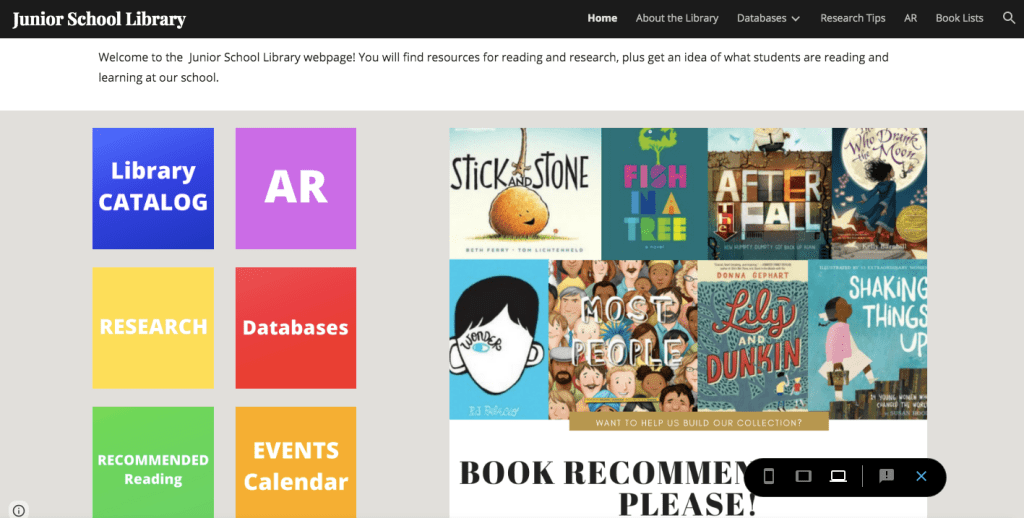
I surprised myself last week when advocacy took over my initial vision of our school Library website. While I am still intent on learning about my administrators’ strategic goals for the school so that I can frame my library programming around them, the actual creation of the website led me down a different path. It quickly became apparent to me that the website, ultimately, is for my colleagues, the students, and their parents. They are my main clientele — the ones who have the most questions for me and the ones whose lives I hope to make easier. By extension, I am hoping this will reduce the amount of time I spend responding to repeated questions because the answers are all found on my website.
Before sharing this post and my website, I wanted to meet with the Marketing and Communications Team and update everyone on my battle with this department. I met with our Vice Principal of Curriculum earlier this week to show her the website design, knowing she would love it and find it to be a wonderful resource. In that moment, we both realized that we needed to reframe what this creation actually was. It is a helpful collection of every library resource available and it is directly tied to supporting student learning. We prepared for a follow up meeting with the Marcom director today by removing the word “website” from our vocabulary. I’m happy to report that our meeting went very successfully! This “library website” is now known as a Library Resource Page. We explained how it is akin to all the other learning documents I send out, except that it’s better organized and all the information is centralized in one document link. Somehow this explanation brought both us educators and the marketing/business side of our school to a common understanding. The Marcom department even offered to redesign the banners of the resource page so it looks more aligned and seamless with the school’s branding. I couldn’t have asked for a better result. Now I can share the link with the students, parents, and teachers and truly make this a resource for EVERYONE. I am incredibly excited! It feels like my hard work in creating the website and in advocacy has paid off.
Resources Used
I created the Resource page in two stages. Once I had the main components of my website put together, I turned to some school library websites that I had bookmarked a couple of years ago for inspiration because I liked the content and design. These include Wellesley Middle School, Castilleja School, Dr. Charles Best Secondary, and the Valleyview Learning Commons from our very own Dianne Bell. From these sites, I was reminded to include the library Mission Statement, quick visual links on the Home Page, general need-to-know information about the library, and a direct form for collecting book recommendations. I also genuinely appreciated Valleyview’s Web 2.0 Resources, but I opted not to include this on the Library Resource Page. It would, instead, be a perfect addition to our Learning Technology page.
Some external sites I found helpful in the creating the visual aspect of my Resource Page were Canva (for my library link buttons), Amazon (for book cover images), YouTube (for uploading video content), and Surrey Libraries (for additional resources that complement our school library’s). Making this Resource Page pushed me to finally take time to apply for a library card in Surrey (I’m a Vancouver resident) so that I could provide a well-rounded scope of resources available to the students in my school community. I was also able to finalize most of my research documents on non-fiction, keyword search tips, fake news, and copyright. These are actual tools I use with students that teachers also request. Overall, this project was an excellent push to complete tasks that were important but not a priority to everyday library operations.
Challenges
WEB DESIGN
The greatest challenge I faced when putting together the website was keeping it clean and uncluttered. As mentioned in a previous post, I have a tendency to want to share ALL information and knowledge. However, I really wanted to prioritize making the website easy to navigate. I was constantly hiding and unhiding pages from the navigation bar, trying to negotiate how much information was too much.
KEEPING ORGANIZED
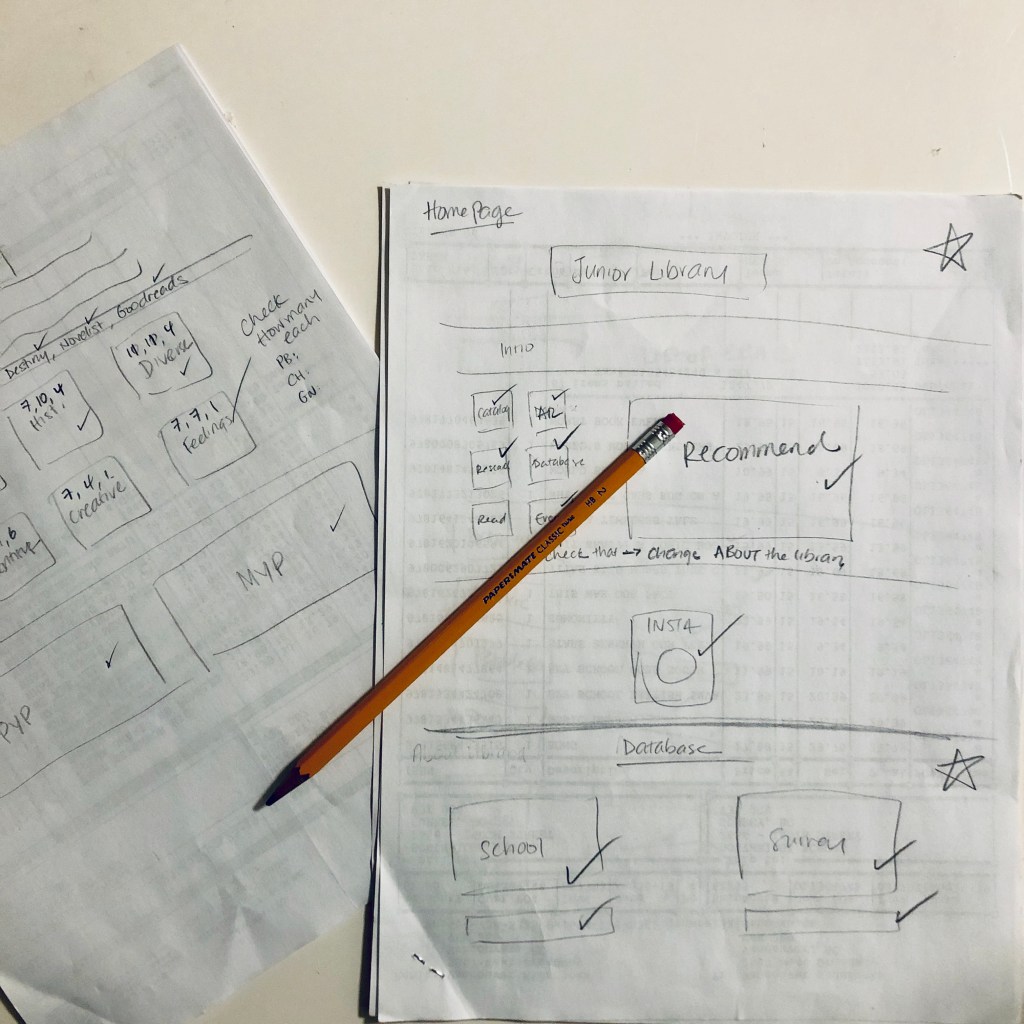
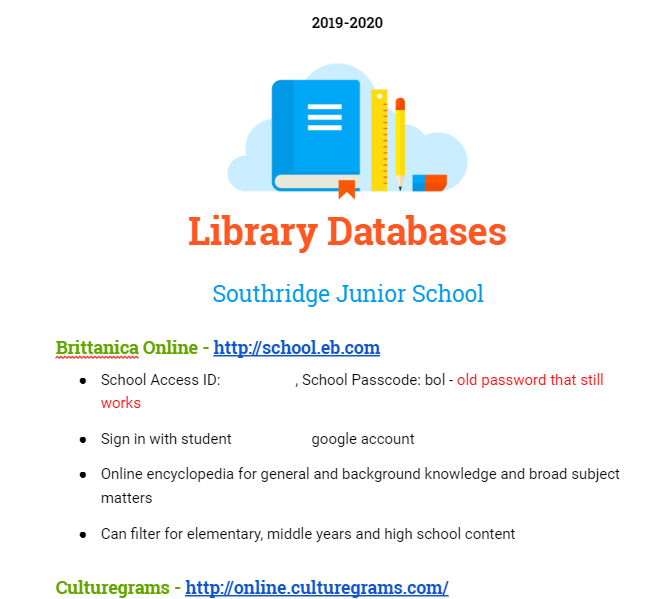
Like any technology creation, there was also a lot of previewing and testing involved, which always led to more revisions. I have a lot of links on my Resource Page and each of these links had to be verified, and each database login and password had to be tested. Once I discovered an incorrect link, I had to rectify it but it was difficult keeping track of which ones I had tested or not. I’m curious how web designers do these, as I am sure there is a systematic method. What I ended up doing was making rough sketches of each page and checking that each link went where it was supposed to and that the information provided (such as login information) was correct. This was very laborious but completely necessary. I was surprised how many errors there actually were, so it was satisfying to catch them in this process. Please don’t judge me if you test them and find and error, though! I have changed all login information for the published version of this course so that I do not violate our school’s information sharing policies.
To add to the confusion and margin for error, I was working on the Learning Technology resource page concurrently and also able to complete that. The database and research portion on both resource pages have identical information. However, working on two Google Sites at once meant that I would jump around from page to page across the different sites, which made it difficult for me to keep track of which ones had been updated or not. I have yet to go through the Learning Technology site as thoroughly as the Library Resource Page, so this will be my next project.
CITATIONS
Finally, I found it to be a near-impossible task to cite every resource I linked or referred to on my website. My entire website is a collection of resources that are linked to external sources. Ultimately, I only included resources that did not inform me of my site production.
Future Direction
Things I would like to do in the future:
1) Update the book lists to include descriptions and/or links to external sites that describe them.
2) Provide a space for students to leave their own book reviews and include a student book review section
3) Add a welcome video with library statistics and details about some of the lessons I do
4) Subscribe to Noodletools so that our school has a citation generator, then add this information to the Resource Page and provide an in service to help staff and students use it
5) I have been given January 20 as the official launch date for the Library Resource Page and the Learning Technologies Page. The IT Leader and myself will lead our Monday after school meeting that day where we plan to give teachers time to play, incorporate their feedback, make changes, then officially share the Resource Page link with the community two days later. I am brimming with excitement and have high hopes this will make a massive difference for everyone’s teaching and learning.
Like many things in teaching and libraries, the work is never done. The great advantage of publishing this Resource Page through Google Sites is the ease in which I can edit it regularly even after the link has been shared and distributed. In this span of a couple of weeks alone, I made constant changes in login information, books available for the book list, and research documents. I suppose that is the outcome of a brain that never sleeps – only now, I have a centralized place to place that wealth of information.
Works Cited:
Castilleja Library. (n.d.). Retrieved November 22, 2019, from http://library.castilleja.org/.
Dr. Charles Best Secondary School Library. (n.d.). Retrieved November 22, 2019, from https://www.bestlibrary.org/.
Valleyview Learning Commons. (n.d.). Retrieved November 22, 2019, from http://valleyviewvikes.weebly.com/.
Wellesley Middle School Library. (n.d.). Retrieved November 22, 2019, from https://wmslib1.weebly.com/.






 The Learning Circle